DontSleepMac
Keeps your Mac awake
A one-click menu-bar toggle that keeps your Mac awake. Hold the display on, or let the screen go dark while the work carries on.
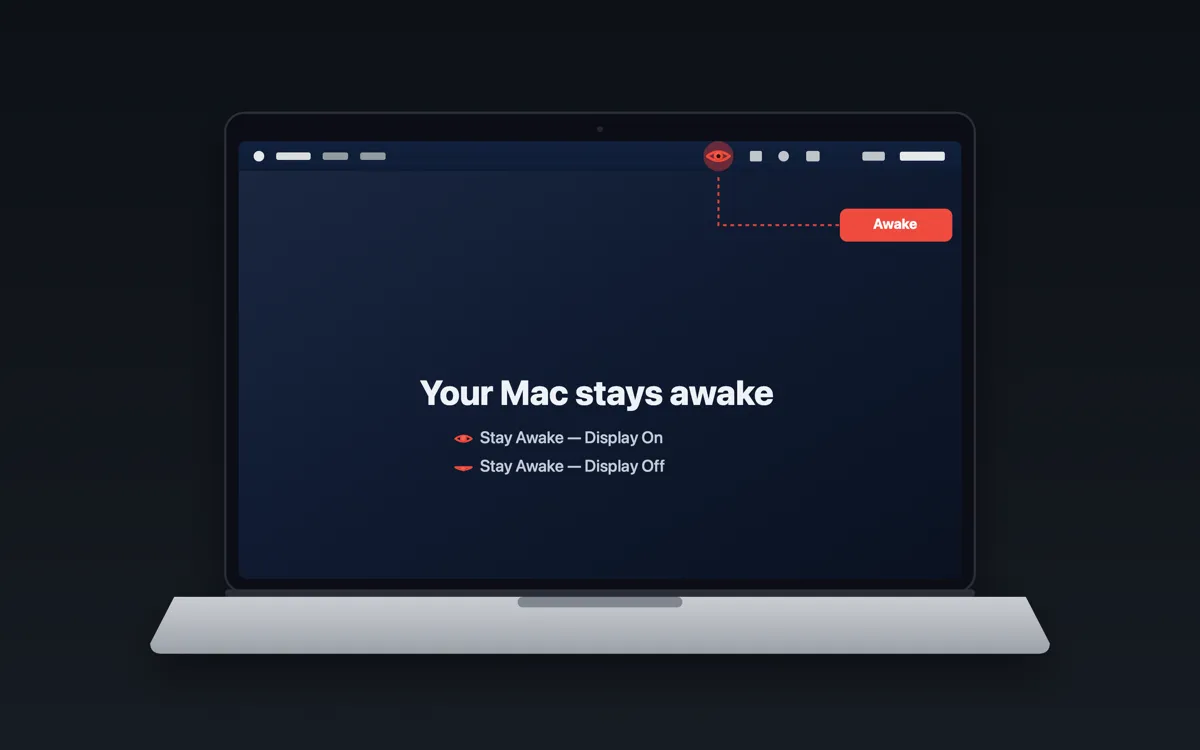
Click the eye in the menu bar and the Mac stays awake; click it again and it can sleep. The icon follows the Mac's real state, so it also turns red when something else is holding the Mac awake, and the menu says what.
Made for the jobs that stop when a Mac dozes off: a coding agent, a local build, a long download, a screen share, a dashboard on a wall screen.
What it does
- Two modes. Stay Awake — Display On keeps the screen lit; Stay Awake — Display Off lets the screen sleep while the Mac keeps working.
- Left-click starts the mode you used last (Display On after a fresh launch), or turns keep-awake off. Right-click opens the menu.
- The icon shows the real sleep state, checked every 5 seconds, including holds from other apps or a
caffeinatestarted in Terminal. - Show what's keeping Mac awake… lists each process that is preventing sleep, by name and pid. Run with
--diagnosefor the same report in a terminal. - Lives in the menu bar only, with no Dock icon.
What it doesn't do
- No data collected, no network calls. Nothing leaves your Mac.
- Nothing of its own does the work: it runs the tools built into macOS,
caffeinateto hold the Mac awake,pmsetto read power state andpsto name the processes. - Nothing left running: the
caffeinateit starts is tied to the app and ends when the app quits. - Little left behind: to uninstall, quit it and delete
/Applications/DontSleepMac.app. The app writes no files of its own; macOS may save its menu-bar position ascom.seeknull.dontsleepmac.plistin~/Library/Preferences.
Get it
Needs macOS 13 or later and the Xcode command-line tools (xcode-select --install). Clone the repository and run ./install.sh: it builds the app from source, puts it in /Applications and opens it. There is no prebuilt download yet.
github.com/seeknull/DontSleepMac Install steps The source, one file